
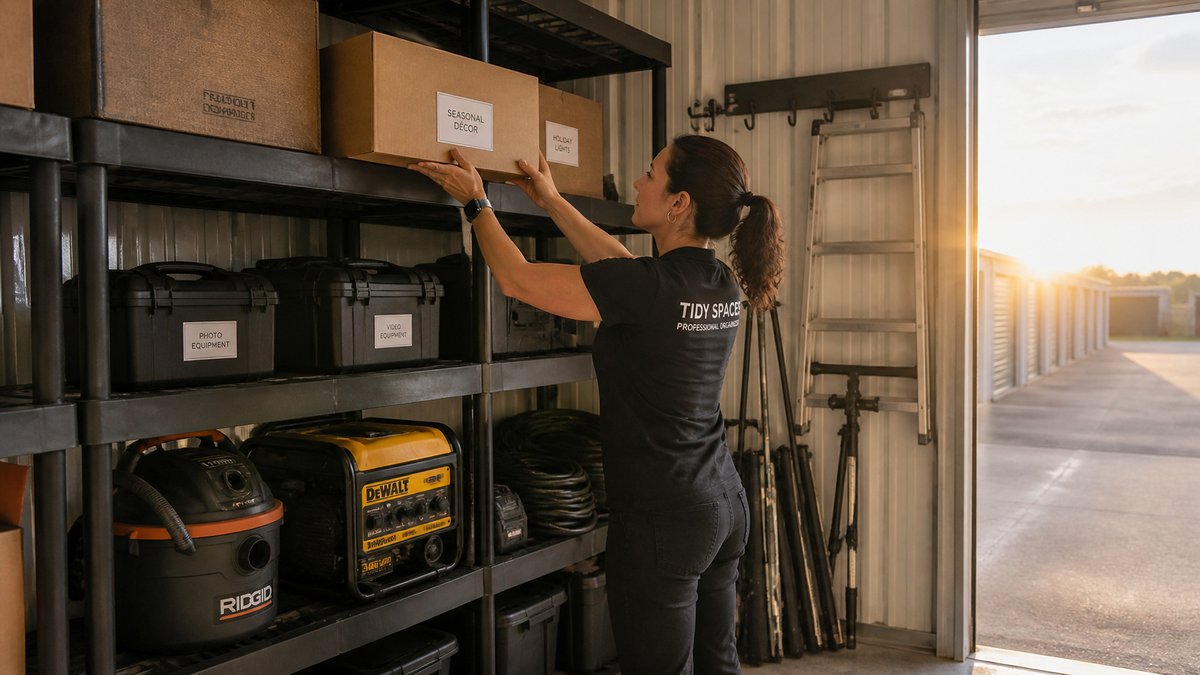
Storing business equipment is different from stashing away holiday decorations or old photo albums. Your equipment is valuable, often delicate, and sometimes essential for your operations. Whether you're downsizing your office, renovating, or just need extra space, how you pack your business equipment into a storage unit can make the difference between smooth operations later and costly repairs or replacements.
Here's the golden rule: heavy items on the bottom, fragile items on top. This principle seems simple, but it's surprising how often it's ignored. When you stack heavy items on top of lighter, more fragile ones, you risk crushing them. Even if nothing breaks immediately, the pressure can cause micro-damage over time, leading to failures when you least expect them.
Before you start packing, take inventory. List every item you plan to store. This will help you plan the layout and also serve as a reference when you need to retrieve something. Label each box clearly with its contents and the room it came from. For business equipment, consider a color-coding system: red for fragile electronics, blue for heavy machinery, green for paperwork, and so on. This makes retrieval quick and reduces the time you spend searching through the unit.
Now, let's talk about the bottom layer. This is where your heaviest, sturdiest items should go. Think copiers, heavy-duty printers, metal file cabinets, and large power tools. These can bear weight and won't get damaged by pressure from above. Place them directly on the floor, but first, put down a protective layer of pallets or plywood to keep them off any potential moisture. Even in a dry unit, concrete can condense, especially during temperature changes. A simple pallet barrier can save your equipment from rust and water damage.
Next, the middle layer. Here you'll place moderately heavy items that are still durable, like desktop computers, monitors (if they're not too fragile), and smaller office appliances. Make sure these are securely boxed with proper padding. Use the original packaging if you kept it; it's designed for the exact shape and fragility of the device. If not, use sturdy boxes and fill gaps with packing paper, bubble wrap, or foam peanuts. Tape the boxes securely and label them clearly.
The top layer is reserved for the most fragile items: delicate electronics, flat-screen monitors, servers, hard drives, and anything with glass. These should be placed on top of softer items or on shelves if your storage unit has them. If you don't have shelves, consider using sturdy shelving units that you can assemble in your storage unit. This keeps fragile items off the floor and away from potential crushing. Wrap each delicate item individually in anti-static bubble wrap if it's electronic, then place it in a box with plenty of cushioning. Fill any empty spaces to prevent movement during transport or if the unit is disturbed.
When packing electronics, especially computers and servers, it's wise to back up your data before storing. You never know what could happen, and having a backup ensures your business continuity even if something goes wrong. Also, remove any batteries from devices to prevent leakage or corrosion. For printers, remove ink cartridges and toner to avoid leaks that could ruin the machine and other items.
One common mistake is overpacking a box. A box that's too heavy is difficult to lift and more likely to break. Distribute weight evenly. For example, don't put all your heavy manuals in one box; spread them out. Keep the weight of each box manageable, ideally under 40 pounds. This protects both your equipment and your back.
Another tip: create an aisle in your storage unit. Don't just pile everything against the walls. Leave a central walkway so you can access items without moving everything else. This is especially important for business equipment because you may need to retrieve one specific item without unpacking the whole unit. Place items you'll need more frequently near the front or on top of layers.
Use furniture covers or plastic sheeting to protect your equipment from dust. Even if your storage unit is clean, dust can accumulate over time. A simple cover can save you hours of cleaning later. For large items like copiers, drape a breathable cloth over them—plastic can trap moisture, which is worse for electronics.
Atlas Self Storage does not offer climate-controlled units at either Penn Hills or North Hills. Check your belongings’ care instructions for temperature and moisture requirements before deciding whether these units are suitable.
Finally, after you've packed everything, take photos of the setup. This will help you remember where things are and also document the condition of your equipment. When you return to retrieve items, you'll have a visual guide.
Packing your business equipment properly into a storage unit is an investment in your company's future. It ensures that when you're ready to use your equipment again, it's in the same condition as when you stored it. By following the heavy-on-bottom, fragile-on-top rule, using quality packing materials, and organizing your unit with access in mind, you'll avoid the headache of damaged gear and the cost of replacements.
Atlas Self Storage has locations in Penn Hills and North Hills. Contact your preferred location to confirm current unit options, dimensions, access hours, features, rental terms and availability. Use the Storage Space Calculator to add catalog items or custom dimensions and quantities. Its recommendation is a planning estimate, not a guarantee of fit, suitability, price or availability. Confirm the selected unit and your packing plan with the location.
MAKE ROOM FOR WHAT’S NEXT.
Use the calculator for a planning estimate, then confirm your needs with your location.
Check unit listings and contact the team at Penn Hills or North Hills.
Find your location →